> ## Documentation Index
> Fetch the complete documentation index at: https://docs-preprod.sambanova.ai/docs/llms.txt
> Use this file to discover all available pages before exploring further.
# RooCode
RooCode is an AI-powered autonomous coding agent that lets you create and use specialized roles to accelerate development directly within your code editor.
This guide shows you how to integrate SambaCloud LLMs with the RooCode VS Code extension.
## **Prerequisites**
Before you begin, ensure you have:
* A free account on [SambaCloud](https://cloud.sambanova.ai/).
* [Visual Studio Code](https://code.visualstudio.com/) installed.
* The [RooCode extension](https://docs.roocode.com/getting-started/installing) installed from the VS Code extensions panel.
## **Setup**
Getting started with SambaNova’s LLM in RooCode is quick and easy. Follow the steps below to connect SambaCloud models.
1. Open RooCode In VS Code
* Launch VS Code.
* Open the RooCode panel from the sidebar.
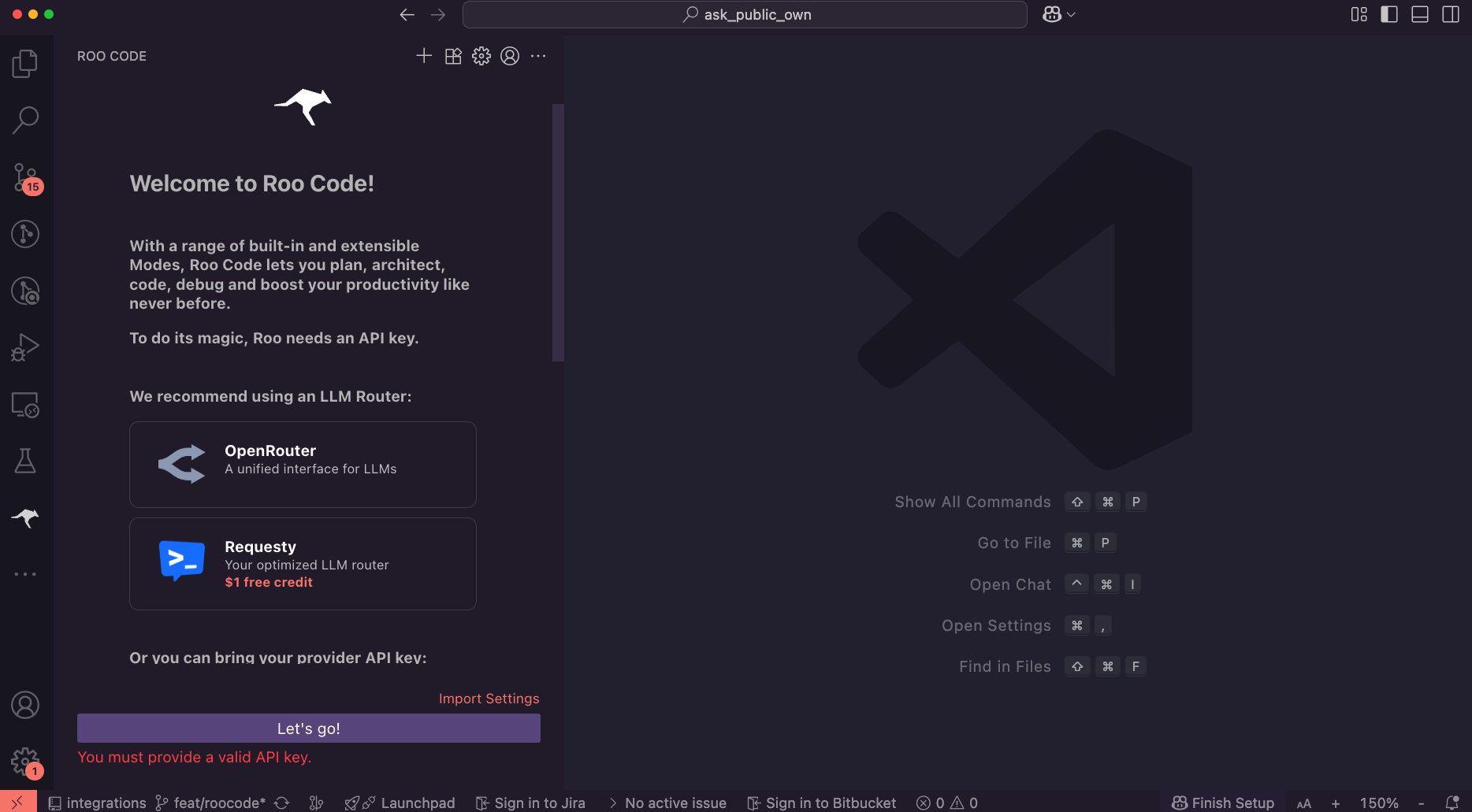 2. **Add SambaCloud API Key**
* Select `SambaNova` in the API Provider dropdown.
* Set your SambaCloud API key in the API key field
* Select a model to use in the Model dropdown (e.g., `Llama-4-Maverick-17B-128E-Instruct`)
* Click on the `Let's go!` button'
## **Usage**
1. **Select the Agent role**
Select in the bottom right panel the agent role you want to use from:
* architect (for solution design)
* code (for writing code)
* ask (for answering questions)
* debug (for troubleshooting)
* orchestrator (for coordinating multiple tasks)
Additional agent roles are available in the `Mode Marketplace` to customize your workflow.
2. **Code with SambaCloud in RooCode**
* Prompt the agent with your task.
* Review the proposed actions.
* Approve the actions you want the agent to execute.
2. **Add SambaCloud API Key**
* Select `SambaNova` in the API Provider dropdown.
* Set your SambaCloud API key in the API key field
* Select a model to use in the Model dropdown (e.g., `Llama-4-Maverick-17B-128E-Instruct`)
* Click on the `Let's go!` button'
## **Usage**
1. **Select the Agent role**
Select in the bottom right panel the agent role you want to use from:
* architect (for solution design)
* code (for writing code)
* ask (for answering questions)
* debug (for troubleshooting)
* orchestrator (for coordinating multiple tasks)
Additional agent roles are available in the `Mode Marketplace` to customize your workflow.
2. **Code with SambaCloud in RooCode**
* Prompt the agent with your task.
* Review the proposed actions.
* Approve the actions you want the agent to execute.
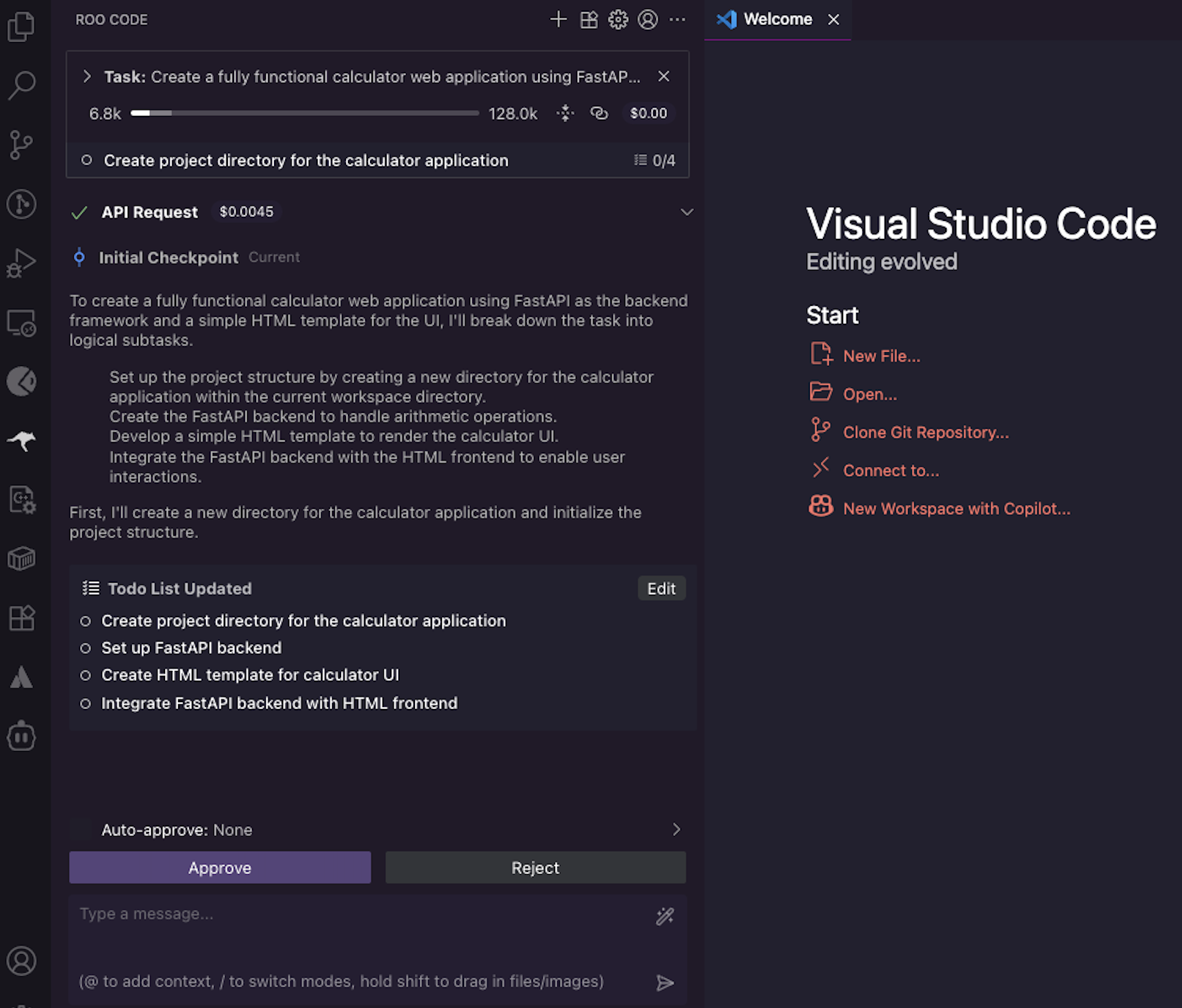 You can monitor token usage and pricing for the current session in the RooCode panel's top bar.
Your SambaCloud models are now powering RooCode agents, giving you inference speeds up to 5× faster than typical GPU providers. If you need help or encounter any issues, contact your SambaNova support team.
You can monitor token usage and pricing for the current session in the RooCode panel's top bar.
Your SambaCloud models are now powering RooCode agents, giving you inference speeds up to 5× faster than typical GPU providers. If you need help or encounter any issues, contact your SambaNova support team.