> ## Documentation Index
> Fetch the complete documentation index at: https://docs-preprod.sambanova.ai/docs/llms.txt
> Use this file to discover all available pages before exploring further.
# KiloCode
This guide shows you how to integrate SambaCloud’s LLMs with the Kilocode VS Code extension.
Kilocode is an AI-powered autonomous assistant for planning, building, and fixing code. It is a superset of Roo, Cline, and their own features.
## Prerequisites
Before you begin, ensure you have:
* A [SambaCloud account](https://cloud.sambanova.ai/).
* [Visual Studio Code](https://code.visualstudio.com/Download) installed.
* [KiloCode extension](https://kilocode.ai/docs/getting-started/installing) installed from the VS Code Extensions Marketplace.
## Setup
Follow these steps to connect SambaCloud models in KiloCode:
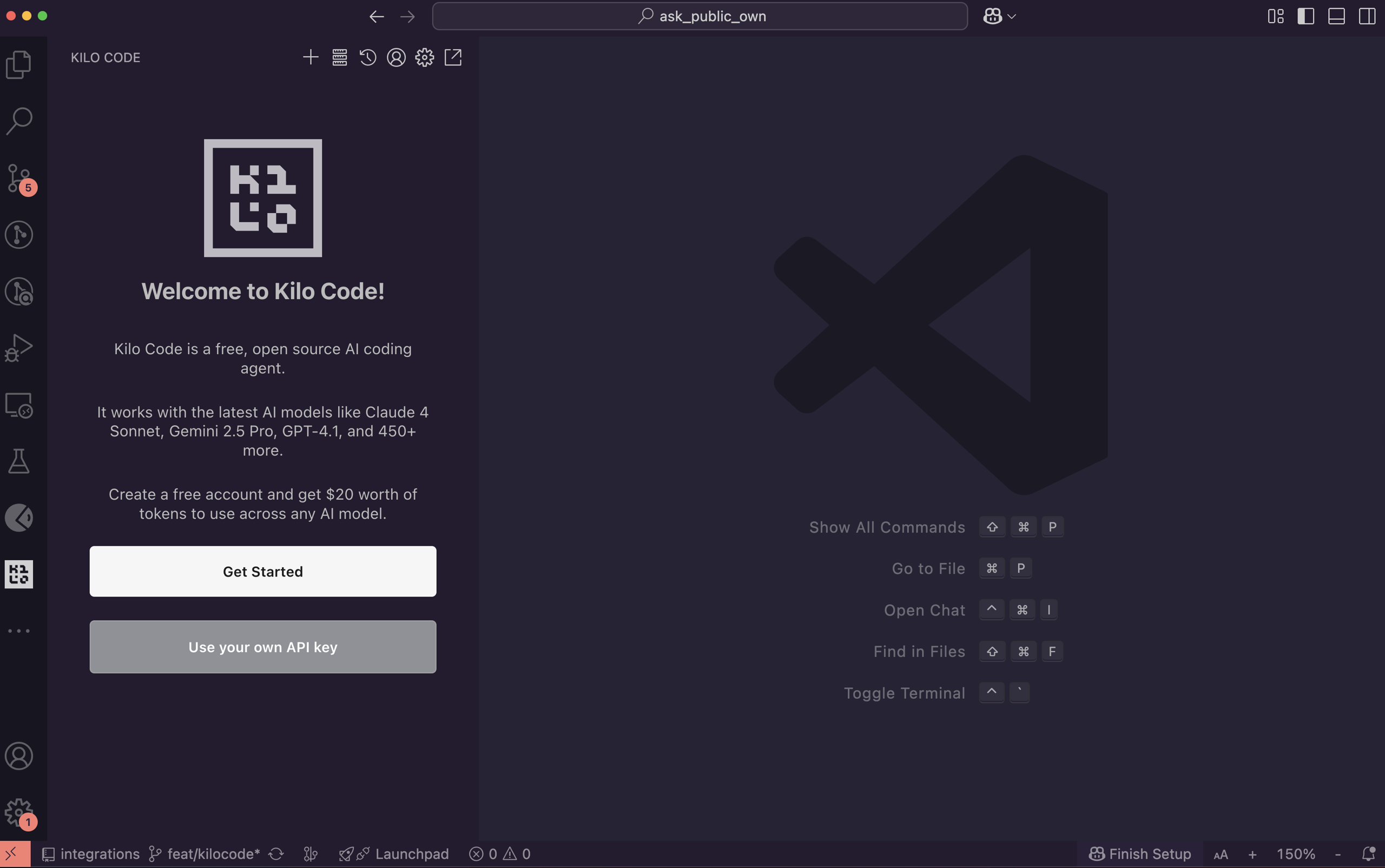
1. **Open KiloCode**\
In VS Code, open the KiloCode panel (usually located in the sidebar).
 2. **Add your SambaCloud API key**
1. Click **Use your own API key**.
2. In the **API Provider** dropdown, select **SambaNova**.
3. Enter your **SambaCloud API key**.
4. Choose a model from the **Model** dropdown (e.g., `Llama-4-Maverick-17B-128E-Instruct`).
5. Select your preferred output verbosity.
6. Click **Let’s go!**
## Usage
1. **Choose an interaction mode**\
From the bottom-right panel, select one of the following modes:
* `architect`
* `code`
* `ask`
* `debug`
* `orchestrator`
You can customize interaction modes in the **Edit** section.
2. **Start coding with SambaCloud in KiloCode**
* Provide a task or prompt.
* Review the assistant’s plan.
* Approve the actions you want KiloCode to execute.
**Example:**\
The model was prompted to build a basic calculator app with a FastAPI backend that performs addition, subtraction, multiplication, and division. The frontend uses HTML/CSS/JavaScript to accept input, select an operation, and display results, communicating with the backend via a fetch API call.
2. **Add your SambaCloud API key**
1. Click **Use your own API key**.
2. In the **API Provider** dropdown, select **SambaNova**.
3. Enter your **SambaCloud API key**.
4. Choose a model from the **Model** dropdown (e.g., `Llama-4-Maverick-17B-128E-Instruct`).
5. Select your preferred output verbosity.
6. Click **Let’s go!**
## Usage
1. **Choose an interaction mode**\
From the bottom-right panel, select one of the following modes:
* `architect`
* `code`
* `ask`
* `debug`
* `orchestrator`
You can customize interaction modes in the **Edit** section.
2. **Start coding with SambaCloud in KiloCode**
* Provide a task or prompt.
* Review the assistant’s plan.
* Approve the actions you want KiloCode to execute.
**Example:**\
The model was prompted to build a basic calculator app with a FastAPI backend that performs addition, subtraction, multiplication, and division. The frontend uses HTML/CSS/JavaScript to accept input, select an operation, and display results, communicating with the backend via a fetch API call.
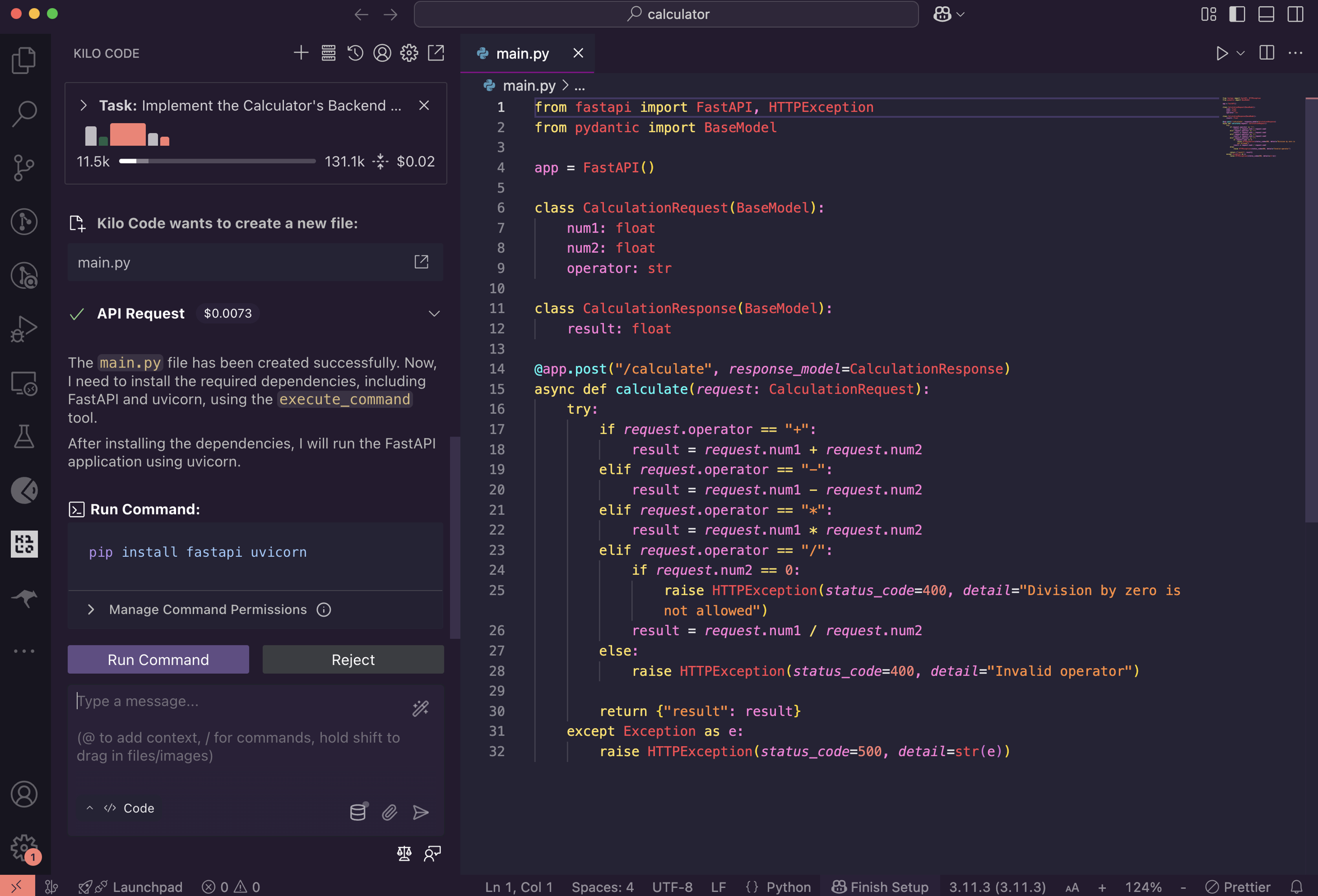 The KiloCode panel displays executed tasks, token usage, and session cost at the top bar.
## Next steps
Your SambaCloud models now power the KiloCode assistant, delivering inference speeds up to 5x faster than typical GPU providers. If you run into issues, contact your SambaNova support team for assistance.
The KiloCode panel displays executed tasks, token usage, and session cost at the top bar.
## Next steps
Your SambaCloud models now power the KiloCode assistant, delivering inference speeds up to 5x faster than typical GPU providers. If you run into issues, contact your SambaNova support team for assistance.